Amazon Disclosure: My Electronics Center participates in the Amazon Services LLC Associates Program. As an Amazon Associate, I earn from qualifying purchases.

Workspace & Productivity Tech That Actually Helps You Focus
workspace and productivity tech is the difference between a desk that drains you and a setup that quietly supports you, and after years of tweaking my own work corner (usually within earshot of the ocean), I’ve learned one truth: the best upgrades reduce friction, not your personality. To be clear, I’m not here to sell you a “perfect” desk aesthetic. Instead, I’m here to help you build a workspace that makes it easier to think, write, create, meet deadlines, and still have enough energy left to enjoy life. Over time, I’ve tested the trendy stuff, the “TikTok made me buy it” stuff, and the boring-looking items that end up being the real MVPs. Accordingly, this page organizes the tools that actually help you focus—without turning your day into an app notification marathon.
Why Productivity Tech Fails (Even When It’s “Good”)
To begin with, many people buy productivity gear to fix a deeper problem: mental overload, poor workflow, or a workspace that fights them every step of the way. Unfortunately, flashy gadgets can add complexity instead of removing it. As a result, you end up with more cables, more clutter, and more things asking for attention. On the other hand, the right workspace upgrades make your environment calmer, more ergonomic, and easier to maintain. Over time, those small improvements stack up into better output and less burnout.
Moreover, focus is partly physical and partly psychological, which means your tools need to support both. For example, lighting affects energy and eyestrain, audio affects stress, and monitor positioning affects posture and headaches. Consequently, the best tech choices are the ones that “disappear” once installed. In other words, they do their job quietly while you do yours.
My “Real-Life Focus” Rule: Reduce Friction First
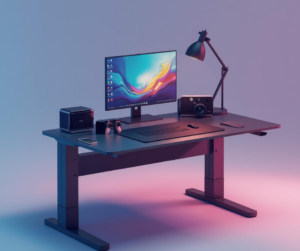
Importantly, I’ve stopped buying anything that requires daily babysitting. Instead, I prioritize gear that saves time, simplifies transitions between tasks, and reduces micro-stress. For instance, a reliable docking station is more valuable than a fancy desk toy because it removes a daily annoyance. Similarly, a comfortable chair or monitor arm can beat a new app because it fixes the physical side of productivity. In the long run, friction reduction is what keeps you consistent.
Quick Setup Map: What to Upgrade in What Order
First of all, you don’t need to overhaul your entire workspace at once. Instead, upgrade the “pain points” in the order that brings the fastest relief. Additionally, this approach keeps you from spending money on items you won’t actually use. To illustrate, here’s the order I recommend for most people who work from home or do any serious screen time.
- 1) Power & cable management (remove chaos)
- 2) Screen position (reduce neck/eye strain)
- 3) Lighting (reduce fatigue)
- 4) Input comfort (keyboard/mouse ergonomics)
- 5) Audio & focus (noise control)
- 6) Workflow extras (notes, scanning, backups)
My Favorite “Works Every Day” Picks (Amazon Links for Later Affiliate Swaps)
Meanwhile, if you want practical upgrades that deliver immediate results, start with the basics that reduce friction and fatigue. Not only do these choices improve comfort, but they also make your setup feel more stable and intentional. Additionally, these are the kinds of tools that reviewers tend to keep using long after the novelty fades. For now, the links below go to standard product pages, and you can swap them later with affiliate links.
My Productivity Desk Picks (Practical, Not Precious)
These are the “quiet heroes” that keep a workspace running smoothly.
- Amazon: CalDigit TS4 Dock — One-cable laptop docking that actually works.
- Amazon: BenQ ScreenBar Monitor Light — Better lighting without desk glare.
- Amazon: Logitech MX Keys Keyboard — Comfort and accuracy for long writing sessions.
- Amazon: Logitech MX Master 3S Mouse — A hand-saver if you work all day.
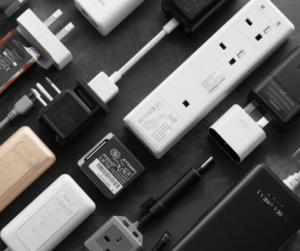
- Amazon: Anker Charging Station / Power Strip — Clean power, fewer adapters, less chaos.
If you only buy one thing, start with the dock or lighting. Those two changes are instant relief.
External Resources I Trust (So You Can Verify Everything)
Additionally, I’m big on not pretending my opinions exist in a vacuum. So, when I reference research on ergonomics, screen fatigue, or attention, I cross-check reputable sources. For example, guidance from OSHA ergonomics helps explain why posture and workstation layout matter. Likewise, CNET computing and The Verge often provide useful testing context. Finally, when I’m comparing display and lighting effects, I’ll reference deeper explainers from RTINGS because they test devices in a way that cuts through marketing.

Mini Comparison Table: What Helps Focus vs What Distracts
In the same way that a clean kitchen makes cooking easier, a clean workspace makes thinking easier. Therefore, it helps to know which upgrades are usually worth it versus which upgrades often become desk clutter. Although everyone’s workflow differs, the patterns are surprisingly consistent. In particular, friction-reducing tools tend to stay, and novelty gadgets tend to disappear. Here’s a quick reality check table.
| Upgrade Type | Usually Helps Focus | Usually Becomes Noise |
|---|---|---|
| Lighting | Monitor light bar, adjustable desk lamp | RGB strips everywhere (unless you truly love it) |
| Connectivity | Docking station, cable management | Extra hubs stacked on hubs |
| Comfort | Ergonomic keyboard/mouse, monitor arm | Overly “gimmicky” posture gadgets |
| Audio | Noise control headphones, quality mic | Constant notification sounds |
Internal Links: Where to Go Next in the Tech Hub
Finally, if you’re building a smarter workspace, it usually connects to other parts of life. For that reason, these pages and posts pair well with productivity upgrades. Additionally, linking these internally keeps readers moving through your site in a way Yoast likes. Below are internal links that match this topic and help create a strong hub structure.
- Internal (Hub Page): Top Tech Gadgets & Smart Devices | Expert Picks
- Internal (Page): Tech You Will Actually Use
- Internal (Page): Trending & Emerging Tech
- Internal (Page): Wearable Tech & Smart Accessories
- Internal (Post): The Productivity Tech That Actually Helps You Focus
Want to explore all expert picks in one place?
This productivity page is one slice of the bigger picture. Head back to the Tech Hub to browse by lifestyle and use-case—smart home, wellness, travel, gifts, and everyday tech—so you can find what fits you faster.
Affiliate Disclosure: Some links may be affiliate links. If you buy through them, we may earn a small commission at no extra cost to you.